Quick Guide
- Master basic movement with WASD (PC) or Left Stick (Xbox) and sprint with Shift (PC) or L3 (Xbox).
- Aim down sights using Right Mouse Button (PC) or RT (Xbox) for precise combat.
- Toggle between first and third-person camera views with your mouse scroll wheel (PC) or Y (Hold) on Xbox (Openworld only).
- Utilize Z, X, C (PC) for vehicle indicators, noting some vehicular features are PC-exclusive.
Mastering Blackhawk Rescue Mission 5 Controls for PC & Xbox
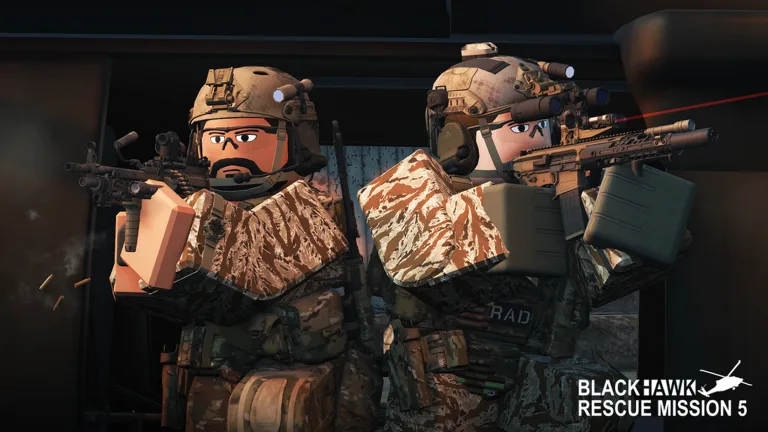
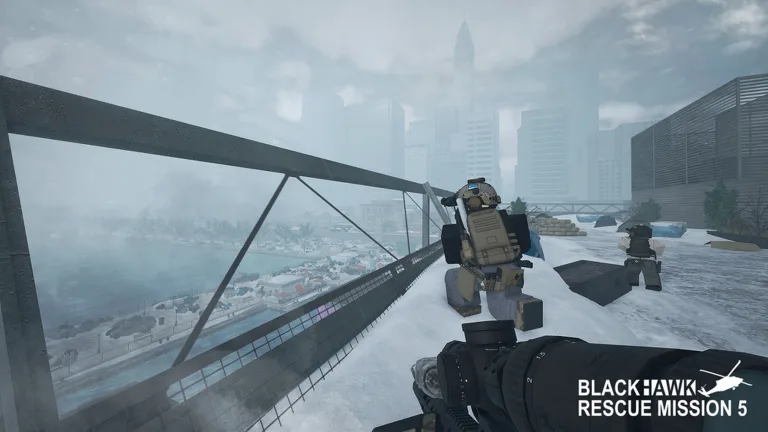
Diving into the intense tactical world of Blackhawk Rescue Mission 5 (BRM5) on Roblox requires more than just skill; it demands a solid understanding of its diverse control scheme. Whether you're a seasoned PC gamer or navigating the battlefield with an Xbox controller, knowing your Blackhawk Rescue Mission 5 Roblox controls keybinds is crucial for seamless movement, accurate shooting, and effective vehicle operation. This guide breaks down the essential keybinds, helping you react faster and dominate in every mission.
Essential Basic Movement and Interaction Keybinds
Your ability to move, sprint, and take cover effectively forms the foundation of survival in BRM5. The game offers intuitive controls that are mostly universal across many Roblox experiences, with specific adaptations for tactical maneuvers.
Here's a breakdown of the core basic controls:
| PC | Xbox | Function | Notes |
|---|---|---|---|
| WASD | Left Stick | Move forward, left, backward, right. | Universal movement keys. |
| Shift | L3 | Hold to sprint. | Increases movement speed and forces standing from prone/crouch. |
| Space | A | Press to jump. | Standard jump action. |
| C | B | Press to crouch or go prone. | Toggles between standing, crouching, and proning for cover. |
| Q | LB | Hold to lean left. | Peek around corners without fully exposing yourself. |
| E | RB | Hold to lean right. | Peek around corners without fully exposing yourself. |
| Scroll Up | Y (Hold) | Zooms out or switches first-person camera to third-person. | Only available in the Openworld gamemode. |
| Scroll Down | Y (Hold) | Zooms in or switches third-person camera to first-person. | Only available in the Openworld gamemode. |
Understanding these basic keybinds allows for fluid navigation through varied terrains and quick reactions in firefights. Sprinting to cover, leaning to gain a tactical advantage, and adjusting your camera view are all vital actions that become second nature with practice.
Precision Combat: Weapon Control Keybinds
Engaging enemies effectively is paramount in Blackhawk Rescue Mission 5. Precise weapon control ensures your shots land where they matter, turning the tide of battle in your favor. The primary aiming mechanic is straightforward but critical for accurate engagements.
Here are the keybinds for weapon control:
| PC | Xbox | Function | Notes |
|---|---|---|---|
| RMB (Right Mouse Button) | RT | Hold to aim down sight. | |
| LMB (Left Mouse Button) | RT | Fire weapon. | (Common but not explicitly listed in source, inferred as standard) |
While the source specifically highlights aiming down sights (ADS), the standard method for firing your weapon on PC is the Left Mouse Button and on Xbox, it's typically the Right Trigger (RT) when not aiming. Mastering the ADS function is crucial for high-accuracy engagements, allowing you to focus your shots and minimize recoil.
Practice your aiming frequently, especially when trying new weapon optics.
Familiarizing yourself with the feel of different scopes and sights will significantly improve your combat effectiveness in BRM5.
Navigating the Battlefield: Vehicular Controls
Vehicles play a significant role in Blackhawk Rescue Mission 5, providing rapid transport and tactical advantages. While basic movement (WASD/Left Stick) applies to vehicles as well, specific functions like indicators are unique to vehicular operation.
Here are the key vehicular controls:
| PC | Xbox | Function | Notes |
|---|---|---|---|
| Z | N/A | Indicate left. | Used for signaling turns in vehicles. |
| X | N/A | Hazard lights. | Activates hazard lights. |
| C | N/A | Indicate right. | Used for signaling turns in vehicles. |
| WASD | Left Stick | Drive/Steer vehicle. | Universal movement keys also apply to vehicles. (Player experience) |
It's important to note that the specific indicator controls (Z, X, C) are currently PC-exclusive, as indicated by "N/A" for Xbox in the source material. Vehicle movement, however, generally follows the universal WASD/Left Stick pattern for acceleration, braking, and steering. For more advanced aerial vehicles like helicopters, a separate and more complex set of controls applies, which is beyond the scope of basic ground vehicle operation.
Key Reminders and Platform Differences
As you immerse yourself in Blackhawk Rescue Mission 5, keep a few important points in mind regarding its controls:
- Universal Movement: The WASD keys on PC and the Left Stick on Xbox are universally used for movement, whether you're on foot or operating a vehicle. This consistency helps in quickly adapting to different scenarios.
- Openworld Camera: The ability to switch between first and third-person camera views (using your mouse scroll wheel on PC or holding Y on Xbox) is a feature exclusive to the Openworld gamemode. If you find these controls aren't working, ensure you're in the correct game mode.
- Xbox Limitations: Some specific features, particularly certain vehicular functions like turn signals and hazard lights, are not available on Xbox. This is a design choice that console players should be aware of.
- Practice Makes Perfect: The best way to master your Blackhawk Rescue Mission 5 Roblox controls keybinds is through consistent practice. Spend time in the game, experimenting with each control until they become second nature.
For the most up-to-date game information and to jump into the action, visit the official Blackhawk Rescue Mission 5 Roblox game page.
Frequently Asked Questions About Blackhawk Rescue Mission 5 Controls
How do I switch between first-person and third-person views in Blackhawk Rescue Mission 5?
On PC, you can switch between first and third-person views by scrolling your mouse wheel up or down. On Xbox, hold the Y button. Remember, this camera toggle functionality is only available in the Openworld gamemode within Blackhawk Rescue Mission 5.
Are the controls for Blackhawk Rescue Mission 5 the same on PC and Xbox?
While many basic movement and weapon controls are similar or have direct console equivalents (e.g., WASD for movement on PC vs. Left Stick on Xbox), some specific functions differ. For example, vehicular indicators are PC-exclusive, and the camera toggle method varies between platforms.
Why can't I use my vehicle's turn signals on Xbox in BRM5?
According to community reports and the game's control documentation, specific vehicular functions like indicating left (Z), hazard lights (X), and indicating right (C) are currently only available for PC players. Xbox users do not have a direct equivalent for these particular Blackhawk Rescue Mission 5 Roblox controls keybinds.
Can I customize my keybinds in Blackhawk Rescue Mission 5?
The reference material does not explicitly state options for custom keybinds within Blackhawk Rescue Mission 5. However, many Roblox games offer some level of control customization through the in-game settings menu. We recommend checking the game's settings directly to see if remapping options are available for your preferred playstyle.